
Transport Montreal2.1 - Get APK
You'll be able to download in few seconds.
Publisher Description
Note : If you notice a wrong schedule, please write us at support@rhatec.net with the name of the society, the bus number, the bus stop and the wrong time. We can't do anything without this information ! Thanks.
You can be notified automatically through twitter when we update database (http://twitter.com/#!/rhatec/).
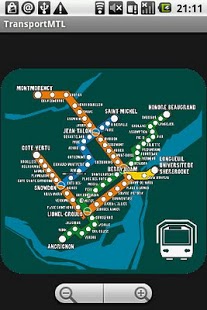
TransportMTL allow users to easily access public transportation schedule for Montreal. All schedules are available offline. You can browse, search and bookmark any departure (bus, subway and train). If you need a reminder to catch your bus, subway or train ? Set a custom notification ! Support STM, STL, AMT, RTL, CIT, MRC and the METRO. We also have maps for the metro and the trains.
Full transport service list:
STL Société de Transport de Laval
STM Société de Transport de Montréal
RTL Réseau de Transport de Longueuil
AMT Agence Métropolitaine de Transport
AMTBUS Autobus Express de l'AMT (90 Express Chevrier)
CITCRC CIT Chambly-Richelieu-Carignan
CITHSL CIT du Haut-Saint-Laurent
CITLA CIT Laurentides
CITLR CIT le Richelain
CITPI CIT La Presqu'île
CITROUS CIT Roussillon
CITVR CIT Vallée du Richelieu
CRTL CRT Lanaudière
MRC2M OKA Express
MRCLASSO MRC L'Assomption
MRCLM MRC les Moulins
OMITSJU Ville de Sainte-Julie
About Transport Montreal
The company that develops Transport Montreal is Rhatec. The latest version released by its developer is 2.1.
To install Transport Montreal on your Android device, just click the green Continue To App button above to start the installation process. The app is listed on our website since 2017-09-26 and was downloaded 0 times. We have already checked if the download link is safe, however for your own protection we recommend that you scan the downloaded app with your antivirus. Your antivirus may detect the Transport Montreal as malware as malware if the download link to net.rhatec.amtmobile is broken.
How to install Transport Montreal on your Android device:
- Click on the Continue To App button on our website. This will redirect you to Google Play.
- Once the Transport Montreal is shown in the Google Play listing of your Android device, you can start its download and installation. Tap on the Install button located below the search bar and to the right of the app icon.
- A pop-up window with the permissions required by Transport Montreal will be shown. Click on Accept to continue the process.
- Transport Montreal will be downloaded onto your device, displaying a progress. Once the download completes, the installation will start and you'll get a notification after the installation is finished.
Version History
version 2.1_53d1853
posted on 2017-09-26
- Crash fix
- Crash fix for bookmarks
- Fabric support
version 2.0_82060e4
posted on 2015-11-17
- Added missing line AMT map,- Fix encoding problem in manual
version 0.962
posted on 2011-04-25
Several fixes and updates
Disclaimer
External Download
We do not host Transport Montreal on our servers. We did not scan it for viruses, adware, spyware or other type of malware. This app is hosted by Galad and passed their terms and conditions to be listed there. We recommend caution when installing it.
The APK Download link for Transport Montreal is provided to you by apps112.com without any warranties, representations or guarantees of any kind, so access it at your own risk.
If you have questions regarding this particular app contact the publisher directly. For questions about the functionalities of apps112.com contact us.
